
ABHA Card Registration 2026 How to Create, Apply & Register Online
If you want to complete your ABHA card registration today, this is the only guide you need. We cover every method Aadhaar, mobile number, Driving License, and ABHA app with exact steps, screenshots described, and solutions for every error you might face.
Create ABHA card is something every Indian citizen should do, and 2025 is the right time. Government hospitals across India are now ABDM-integrated. Your digital health records, doctor prescriptions, and lab reports can all be stored securely but only after you apply for abha card and get your unique 14-digit ABHA number.
Abha card registration online is the primary method. No offline visits, no agents, no fees. Let’s get started.
Quick Answer: ABHA card registration takes under 2 minutes. Visit abha.abdm.gov.in, click ‘Create ABHA Number’, choose Aadhaar or mobile number method, verify via OTP, and your 14-digit ABHA number is ready instantly. The process is 100% free.
What You Need for ABHA Card Registration
Before you create abha card, check that you have one of the following ready:
| Registration Method | What You Need | Verification | Time |
|---|---|---|---|
| Aadhaar (Recommended) | 12-digit Aadhaar number + Aadhaar-linked mobile | Mobile OTP | ~2 min |
| Mobile Number Only | Any active mobile number | Mobile OTP | ~3 min |
| Driving License | DL number + Date of Birth + mobile | Mobile OTP | ~3 min |
| ABHA App | Phone + any of the above | OTP via app | ~2 min |
Abha card apply does not require any physical documents, income proof, or government office visit. Everything is online. No fees at any step. Choose the method that suits you and follow the guide below.
Important: Your Aadhaar-linked mobile number is the number registered with UIDAI. If you are unsure which number is linked, check at uidai.gov.in before starting. |
Create ABHA Card
Create abha card is a one-time process that gives you a permanent 14-digit health ID. Here is what gets created when you create abha id card:
| What Gets Created | Description | How You Use It |
|---|---|---|
| 14-digit ABHA Number | Your unique, permanent health ID number | Share at hospitals, clinics, labs |
| ABHA Address (PHR ID) | Your health login ID (works like an email address) | Login to ABHA portal and app |
| ABHA Profile | Name, DOB, gender and details from Aadhaar | Visible to authorized healthcare providers |
| Health Locker | Secure digital storage for medical records | Reports automatically save after visits |
| Downloadable Card | PDF card with your name, number and QR code | Show at hospital reception |
Abha card account is what you are creating — a digital health account linked to your Aadhaar identity. Once created, this account is permanent. Abha card creation takes minutes, but the benefits last a lifetime.
Create abha card online via abha.abdm.gov.in or the official ABHA app. Both are free and official. Do not use any third-party website or agent for abha card sign up.
ABHA Card Registration, Step by Step Guide
How to make abha card using Aadhaar is the fastest and most reliable method. Abha card registration via Aadhaar gives you a fully verified account instantly. Abha card kaise banaye follow these exact steps:
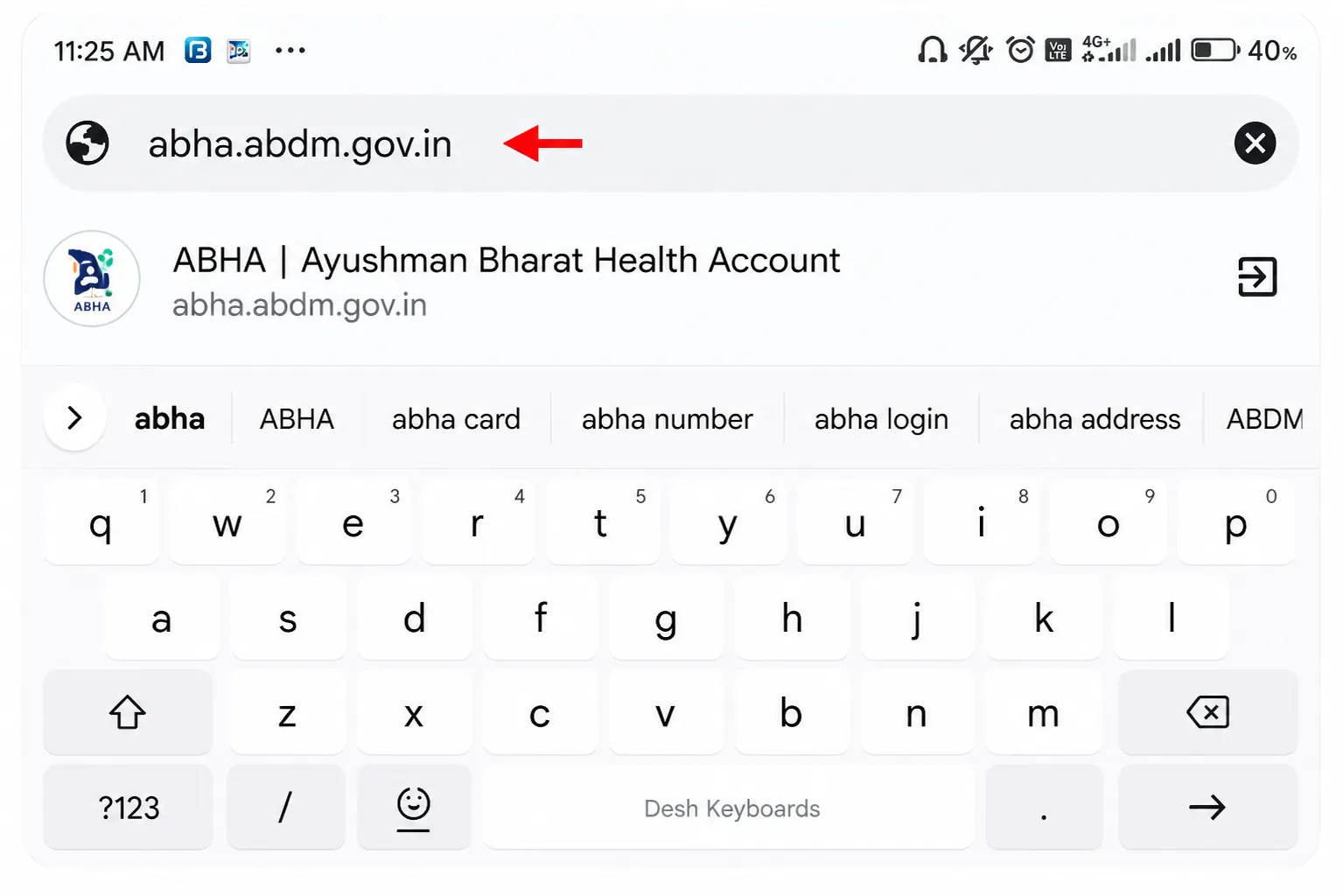
Open the Official Portal
Go to abha.abdm.gov.in. This is the only official portal for abha card registration online. Do not use any other website. The page loads quickly on mobile and desktop.
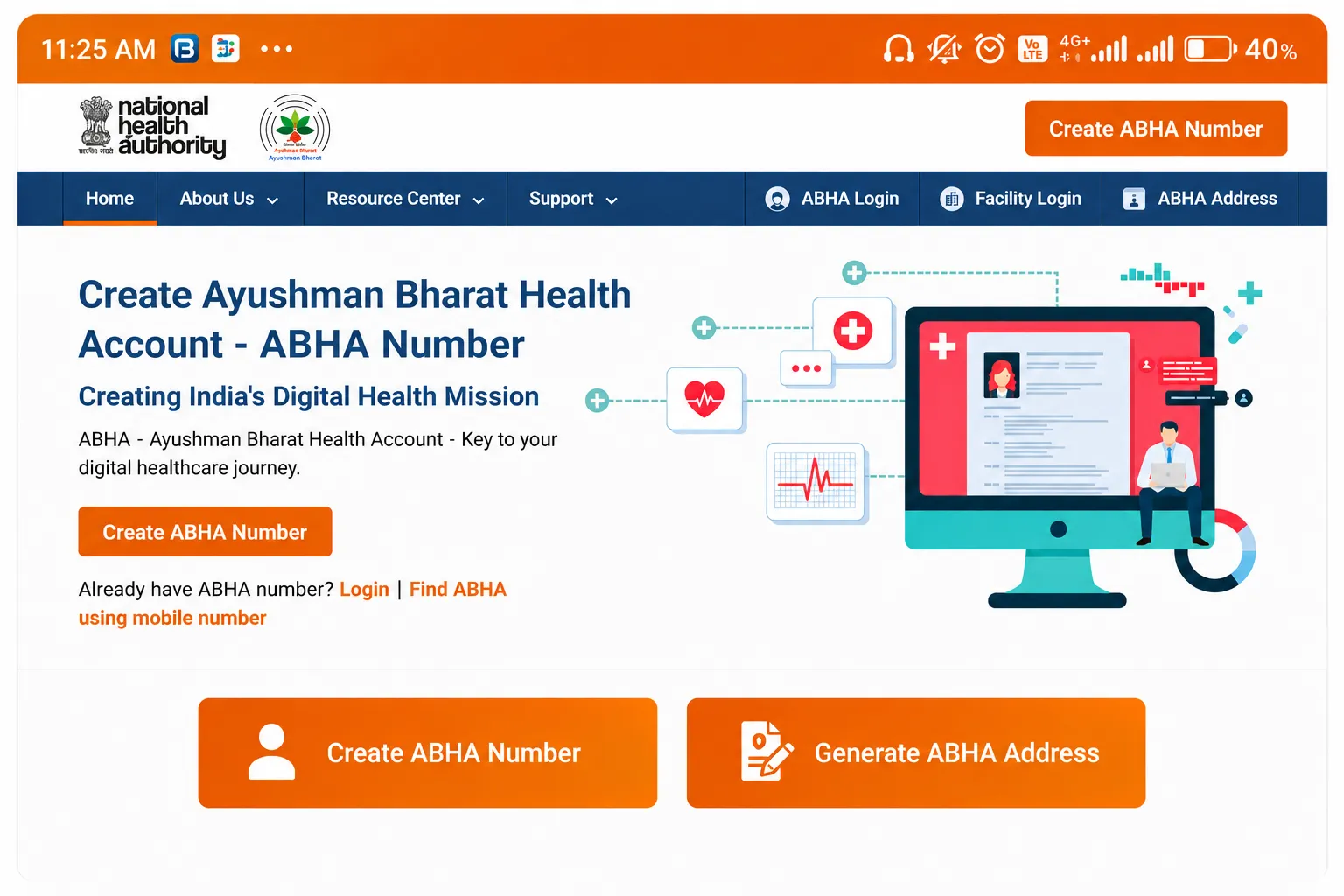
Click ‘Create ABHA Number’
On the homepage, you will see a prominent button ‘Create ABHA Number’. Click it. This initiates the abha card new registration flow.
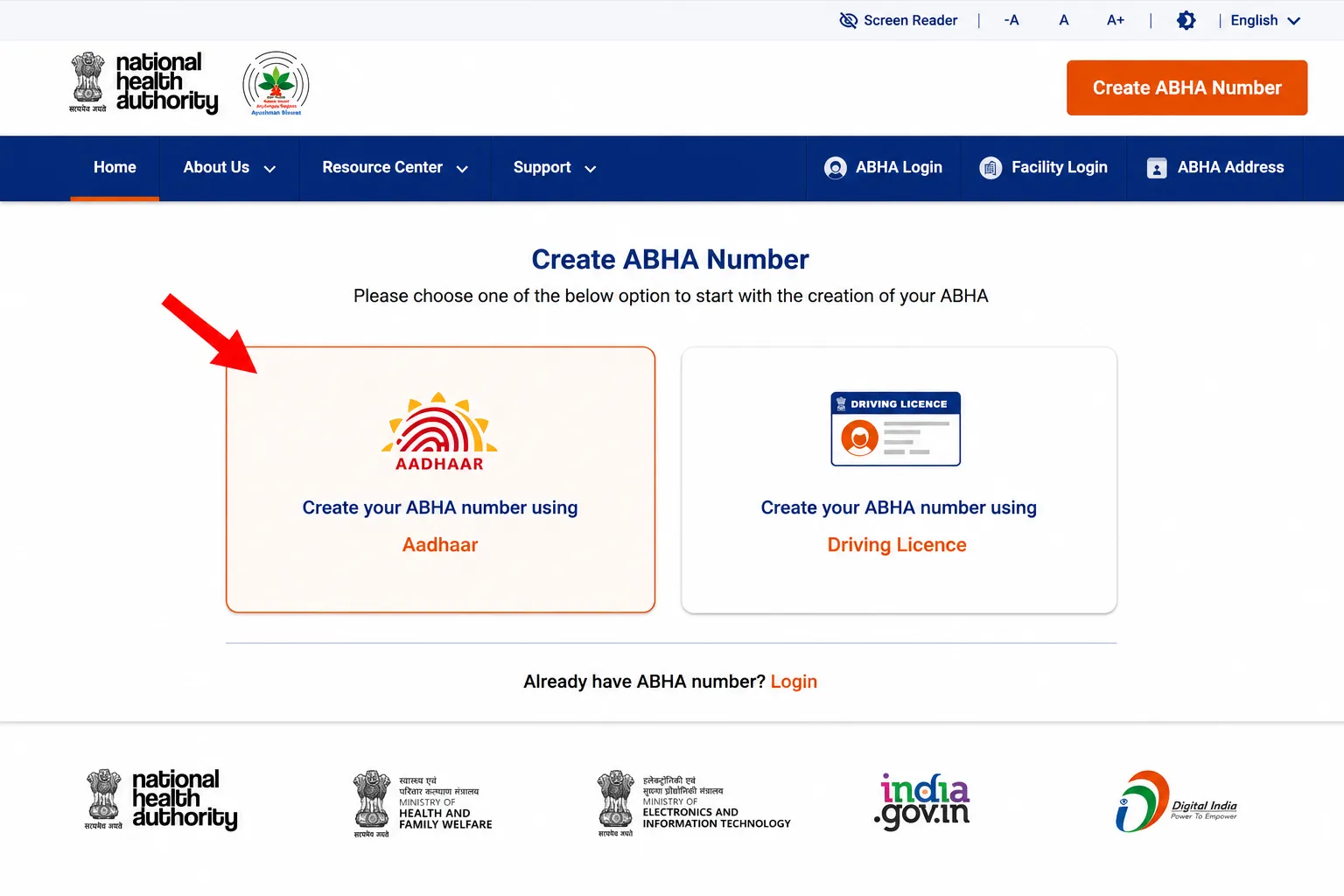
Select ‘Aadhaar’ Method
You will see two options: Aadhaar and Driving License. Select Aadhaar. Aadhaar-based abha health card registration gives you a fully verified account without any manual review.
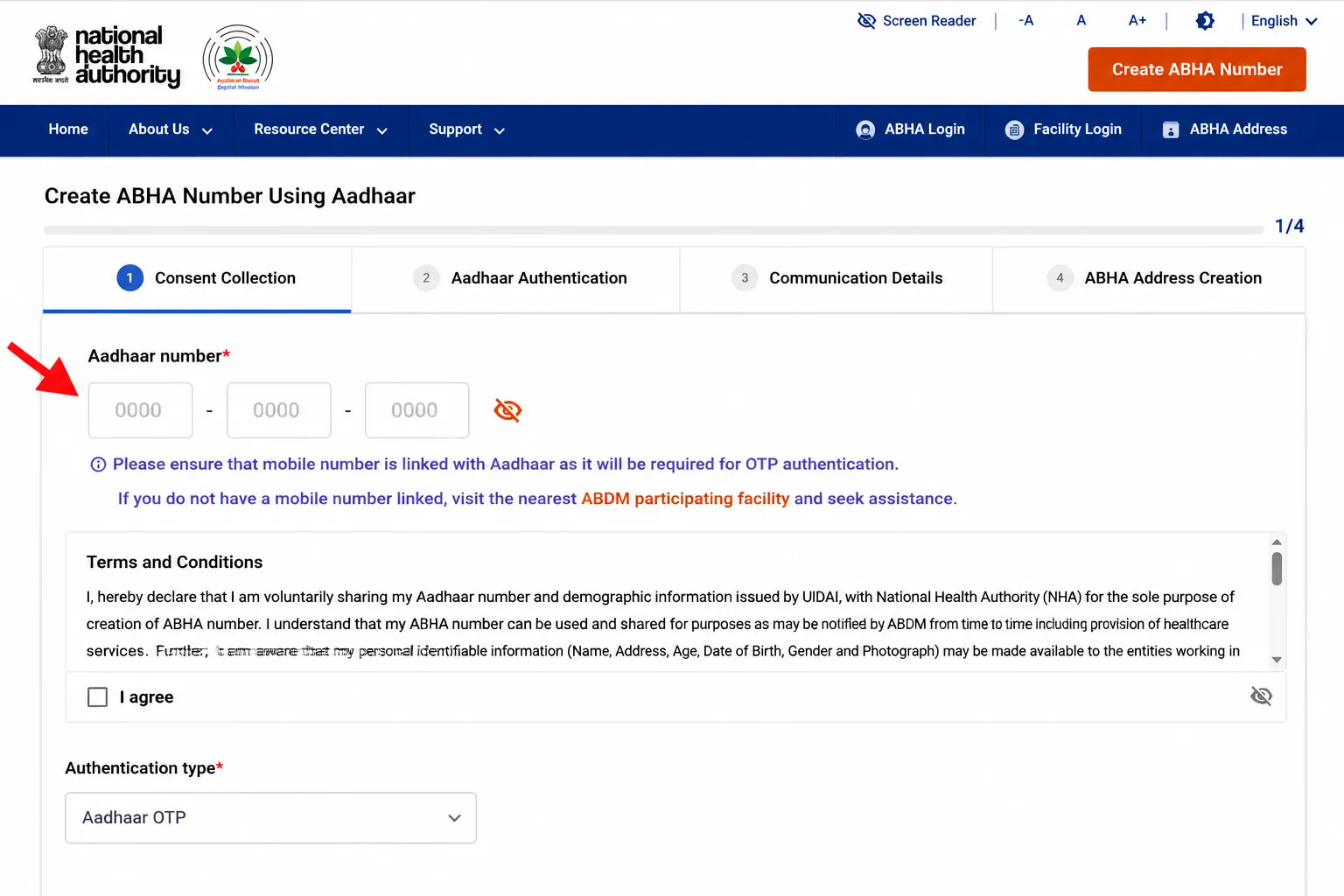
Enter Your Aadhaar Number
Type your 12-digit Aadhaar number carefully. Check the Terms and Conditions box. Fill the CAPTCHA. Click ‘Next’. The system connects to UIDAI to verify your Aadhaar.
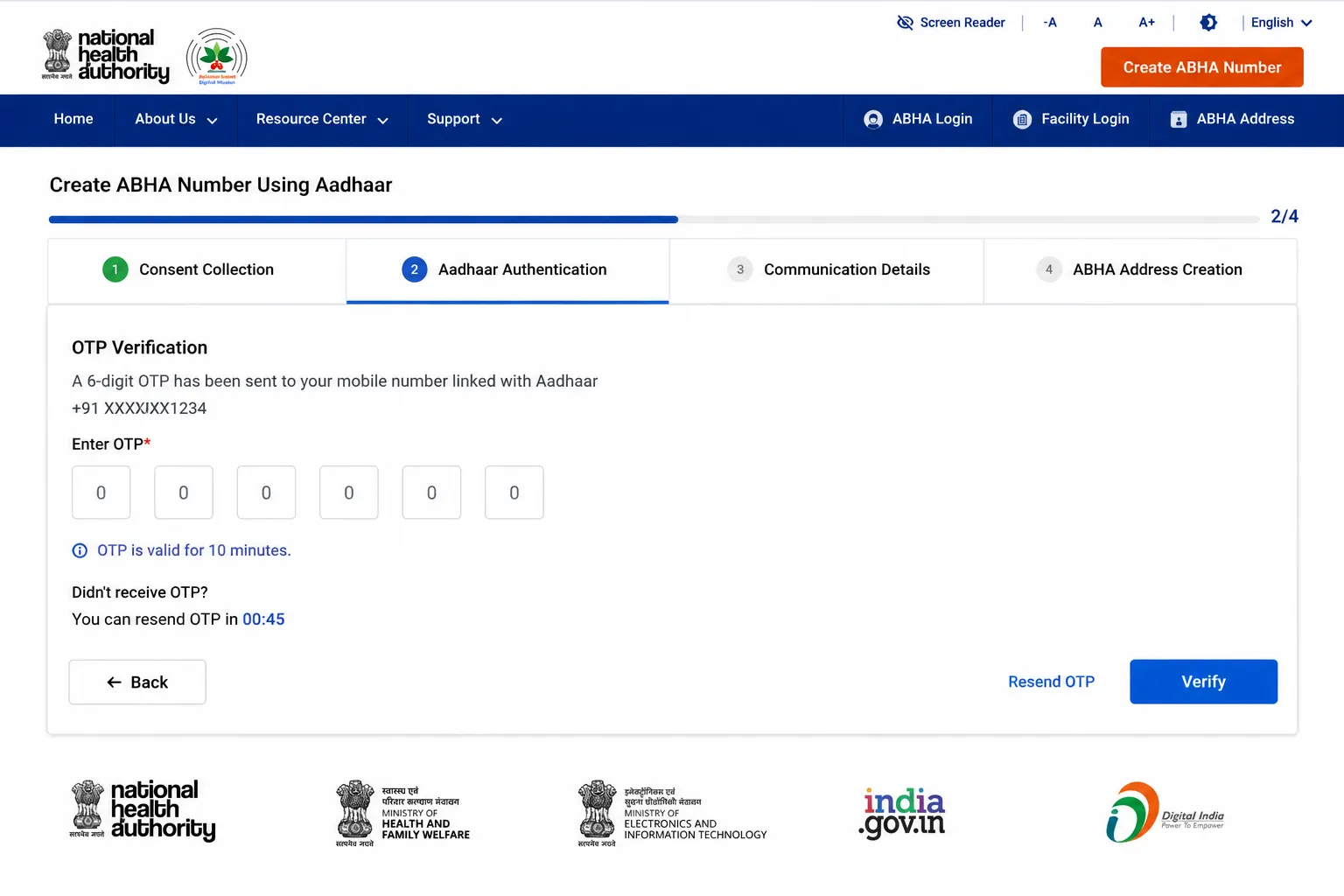
OTP Verification
An OTP is sent to your Aadhaar-linked mobile number. Enter it within 10 minutes. If OTP does not arrive within 2 minutes, click Resend. Abha card registration mobile number this OTP goes to the number registered in your Aadhaar, not necessarily your current SIM.
Review Auto-Filled Details
Your name, date of birth, gender, and address are automatically pulled from Aadhaar. Review them. Add an email ID (optional). Create your ABHA address (PHR ID) this is your health login username, like an email handle.
Submit and Get Your ABHA Number
Click Submit. Within seconds, your 14-digit ABHA number is generated. Abha card generate process is complete. Your abha card registration is successful. Download your card as PDF or save it to the ABHA app.
Registration successful? Download your card immediately. Guide for all download methods: Abha Card Download
Apply for ABHA Card Using Only Your Mobile Number
Abha card online apply via mobile number is for those who do not want to use Aadhaar. Apply for abha card without Aadhaar here is how:
- Visit abdm.gov.in and click ‘Create ABHA Number’.
- Look for the option ‘I don’t want to use Aadhaar’ and click it.
- Enter your active mobile number.
- An OTP will be sent. Enter it to verify.
- Fill your details manually: name, date of birth, gender, address.
- Create your ABHA address (PHR ID) and set a password.
- Your ABHA number is generated. Mobile-based account is partially verified.
How to apply abha card via mobile important note: Mobile-registered accounts are partially verified. You can upgrade to fully verified anytime by linking your Aadhaar from within the account settings. Fully verified accounts are accepted more widely at hospitals.
ABHA Card Registration Using Driving License
Abha card apply using Driving License is another option useful if your Aadhaar-linked mobile is unavailable:
- abdm.gov.in click ‘Create ABHA Number’.
- Select ‘Driving License’ as your method.
- Enter your DL number and date of birth.
- Mobile OTP verification.
- Fill remaining profile details and submit.
- ABHA number generated.
| Method | Account Type | Best For | Can Upgrade? |
|---|---|---|---|
| Aadhaar | Fully Verified | Everyone — fastest, recommended | Already verified |
| Mobile Number | Partially Verified | Those without Aadhaar-linked mobile | Yes — add Aadhaar later |
| Driving License | Partially Verified | Those without Aadhaar | Yes — add Aadhaar later |
| ABHA App | Depends on method | Mobile users — convenient | Yes |
How to Apply for an ABHA Card via the Official App Mobile Registration
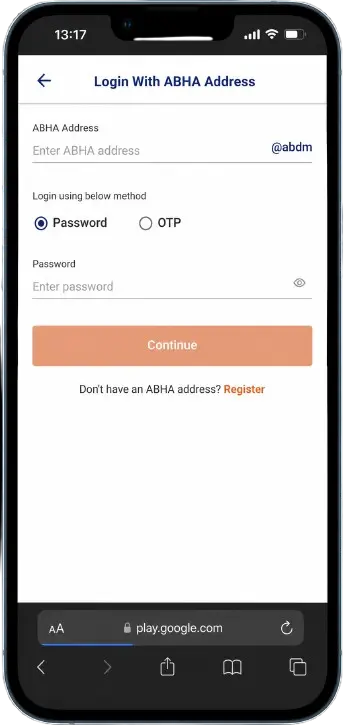
Abha card registration via the official ABHA app is the most convenient method for smartphone users. Abha card registration login and new account creation both work from the same app:
Step 1: Download the Official ABHA App
- Android: Search ‘ABHA’ on Google Play Store. Install the app by NHA (National Health Authority)
- iPhone: Search ‘ABHA’ on App Store and install
- Important: Only use the official NHA app. Do not install any other ‘health ID’ apps
Step 2: Create Account in App
- Open the app and tap ‘Create ABHA Number’
- Choose Aadhaar, mobile, or Driving License method
- Complete OTP verification
- Fill your profile details
- Tap Submit your ABHA number appears on screen
- The card is saved directly in the app accessible offline too
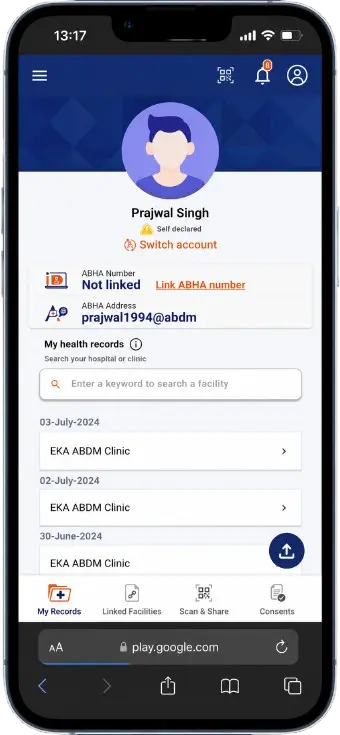
Abha card online apply via app has one key advantage over the website: the card is immediately available in the app, QR code is accessible offline, and hospital staff can scan directly from your phone screen. No download needed.
After registration: Set up your ABHA address (PHR ID) it looks like ‘yourname@abdm’. This is your health login ID. You can use it to log in across different ABDM-integrated platforms. |
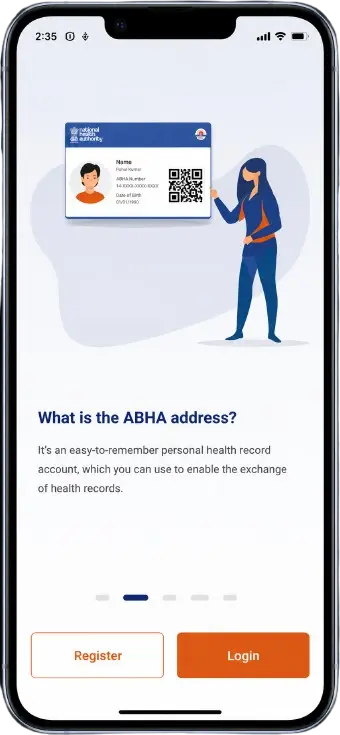
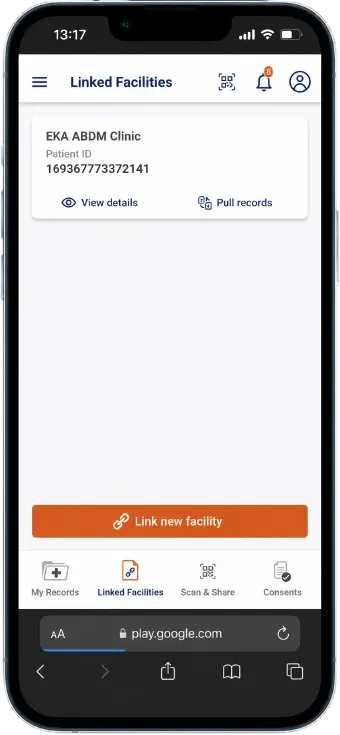
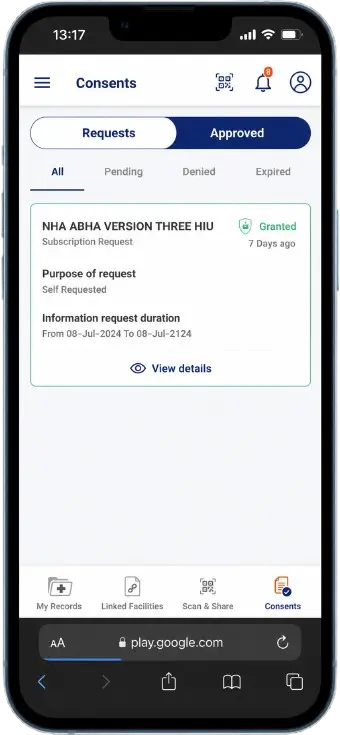
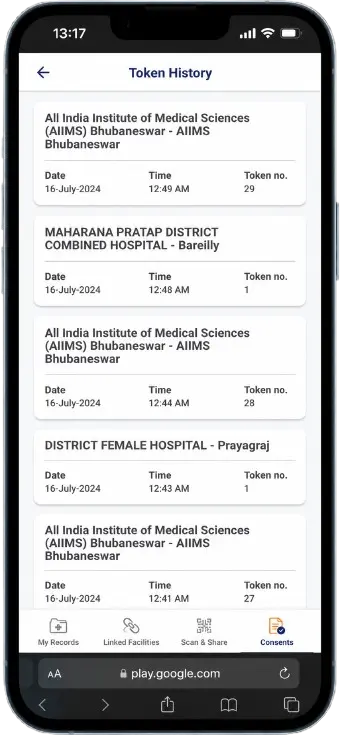
ABHA Card Registration Complete What to Do Next
Congratulations your ABHA card registration is complete and your abha card generate process is done. Here are the four things you should do immediately after registration:
- Download your ABHA card: Download the PDF from abha.abdm.gov.in dashboard or directly from the app. Full guide: Abha Card Download
- Save to DigiLocker: Link your ABHA card to DigiLocker at digilocker.gov.in. It becomes accessible from DigiLocker forever even if you forget your ABHA login.
- Link Ayushman Card (if eligible): If you are PM-JAY eligible, link your Ayushman Bharat card to ABHA from the portal. This unlocks the 5 lakh health insurance benefit under one account. Full guide: Abha Card vs Ayushman Card
- Share at next hospital visit: The next time you visit any ABDM-registered hospital, give them your ABHA number at reception. Your digital health journey officially begins.
ABHA Card Registration Errors Common Problems & Solutions
Even when you follow all steps perfectly, certain errors can appear during abha card online registration. Here are the most common issues and exact fixes:
| Error / Problem | Why It Happens | Exact Fix |
|---|---|---|
| OTP not received | Aadhaar-linked mobile is different from current SIM | Check linked number at UIDAI. Use mobile login if Aadhaar mobile isn't available. |
| 'Already Registered' error | An ABHA account already exists | Click Login → Forgot ABHA Number to recover your account. |
| Aadhaar OTP failing | Server load or wrong entry | Wait 10 minutes and re-enter Aadhaar carefully. |
| Details mismatch error | Name/DOB differs from Aadhaar | Use exact Aadhaar spelling and date format. |
| Website not loading | Browser cache or slow internet | Clear cache or try Chrome/incognito mode. |
| CAPTCHA not working | Browser compatibility issue | Refresh page and disable extensions. |
| Account creation stuck | Server timeout during peak hours | Try again after a few minutes. |
| PHR address already taken | Username already exists | Add numbers or initials to your username. |
ABHA Card Download PDF
| Method | How It Works | Best For |
|---|---|---|
| Login with Aadhaar | Log in at abha.abdm.gov.in using Aadhaar OTP verification | Fastest and recommended method |
| Login with ABHA Number | Log in using your 14-digit ABHA number and password | Useful when Aadhaar-linked mobile is unavailable |
| Use ABHA App | Open the app, log in, and tap "Download Card" in your profile | Best option for mobile users |
How to Login to an ABHA Card?
Logging into your ABHA card is the second most important step after creating the card. By logging in, you can download your card, view health records, and update your profile information.
Method 1: Login with Aadhaar (Recommended)
- Visit the ABHA portal.
- Click on the “Login” button.
- Select “Login with Aadhaar”.
- Enter your 12-digit Aadhaar number.
- Verify using the mobile OTP.
- Your dashboard will open here you can access your ABHA card, health records, and download options.
Method 2: Login with ABHA Number
- Select “Login with ABHA Number”.
- Enter your 14-digit ABHA number.
- Verify using your password or mobile OTP.
- You will gain access to your dashboard.
Login Problem? If you forgot your password, use the “Forgot Password” option. You can reset your password through mobile OTP verification.
Frequently Asked Questions
How to complete ABHA card registration online?
ABHA card registration online: Visit abha.abdm.gov.in, click ‘Create ABHA Number’, select Aadhaar or mobile method, enter your details, verify OTP, and submit. Your 14-digit ABHA number is generated within 30 seconds. The process is completely free and requires no physical documents to be submitted.
How to create ABHA card which method is best?
Create ABHA card using Aadhaar this is the best method. Aadhaar-based registration gives you a fully verified account immediately. Your name, date of birth, and address are auto-filled from Aadhaar, so there are no errors. The entire create abha id card process takes about 90 seconds with Aadhaar.
ABHA card apply is it really free?
ABHA card apply is completely free. Registration is free. Card download is free. There are no fees at any step, no annual renewal charges, and no hidden costs. If anyone charges you money to create abha card on your behalf, that is a fraud. Only use abha.abdm.gov.in directly.
Abha card kaise banaye simple steps in English?
Abha card kaise banaye: (1) Go to abha.abdm.gov.in (2) Click ‘Create ABHA Number’ (3) Choose Aadhaar (4) Enter Aadhaar number and CAPTCHA (5) Enter OTP from Aadhaar-linked mobile (6) Check auto-filled details (7) Submit. Done. Abha card kaise banate hain — same steps, takes under 2 minutes.
ABHA card online apply can I do it on mobile?
Abha card online apply works perfectly on mobile. You can either open abha.abdm.gov.in in your phone browser or download the official ABHA app. The app method is actually more convenient for phones the card saves directly to the app and is accessible offline.
How to make ABHA card without Aadhaar?
How to make abha card without Aadhaar: use the mobile number method or Driving License method. Go to abha.abdm.gov.in, click ‘Create ABHA Number’, then select ‘I don’t want to use Aadhaar’. Proceed with mobile OTP. Note: this creates a partially verified account. You can add Aadhaar later to upgrade to fully verified.
How to apply for ABHA card for a minor child?
Apply for abha card for a minor: a parent or guardian must have their own ABHA account first. Log into your ABHA account at abha.abdm.gov.in and look for ‘Create Profile for Dependent’ or minor registration. Enter the child’s name, date of birth, and gender. The child’s ABHA number is linked under the guardian’s account until they turn 18.
How to register ABHA card if Aadhaar OTP is not received?
How to register abha card when OTP fails: First check that you are entering the Aadhaar number that matches the mobile receiving OTP. That OTP goes to the Aadhaar-linked number only. If that number is unavailable, switch to mobile number method — enter any active mobile number instead. OTP will then go to that number.
ABHA card registration — how long does it take?
ABHA card registration takes 2 to 3 minutes with Aadhaar. Mobile and DL methods may take up to 5 minutes as you fill details manually. The ABHA number is generated immediately after submission no waiting period, no approval process. Once generated, you can download your card within the same session.
Can I create multiple ABHA cards with one Aadhaar?
No. Each Aadhaar number can only be linked to one ABHA account. If you try to register again with the same Aadhaar, you will see an ‘Already Registered’ error. This is intentional — ABHA is designed to give each person one unique, permanent health identity. Use the ‘Forgot ABHA Number’ option to recover your existing account.
ABHA card apply online is there an age limit?
ABHA card apply online has no age limit. Newborn babies, children, adults, and senior citizens everyone can have an ABHA card. For children under 18, a parent or guardian handles the registration. For adults 18 and above, you register directly using your own Aadhaar or mobile number.
After ABHA card registration, what happens to my records?
After ABHA card registration, a Health Locker is created in your account. This is a secure digital space where medical records are stored. Records only start appearing when you visit ABDM-registered hospitals and authorize them to link your records. The ABHA card alone does not automatically collect your past records only future hospital visits add records going forward.
Conclusion
ABHA card registration is the first step toward a paperless, digital healthcare future in India. It takes under 2 minutes, costs nothing, and the benefits are immediate paperless hospital entry, digital records, and a permanent 14-digit health identity.
Create ABHA card today using Aadhaar for the fastest experience. If you do not have your Aadhaar-linked mobile handy, the mobile number method works just as well. Once done, download your card and share your ABHA number at your next hospital visit.
Visit ABDM Gov right now and complete your registration. Once done, learn how to download your card: Abha Card Download. Want to understand your full benefits: Abha Card Benefits