
ABHA Card Login 2026 Status Check KYC Update and OTP Fix Guide
Your ABHA card login is the gateway to everything your ABHA account offers. Once you log in, you can check card status, download your card, update profile details, complete KYC, and manage your health records — all in one place.
This guide covers all abha card login methods, how to do an abha card status check, complete your abha card kyc, fix OTP errors, and what to do when login fails. Whether you created your account last week or two years ago, this guide applies.
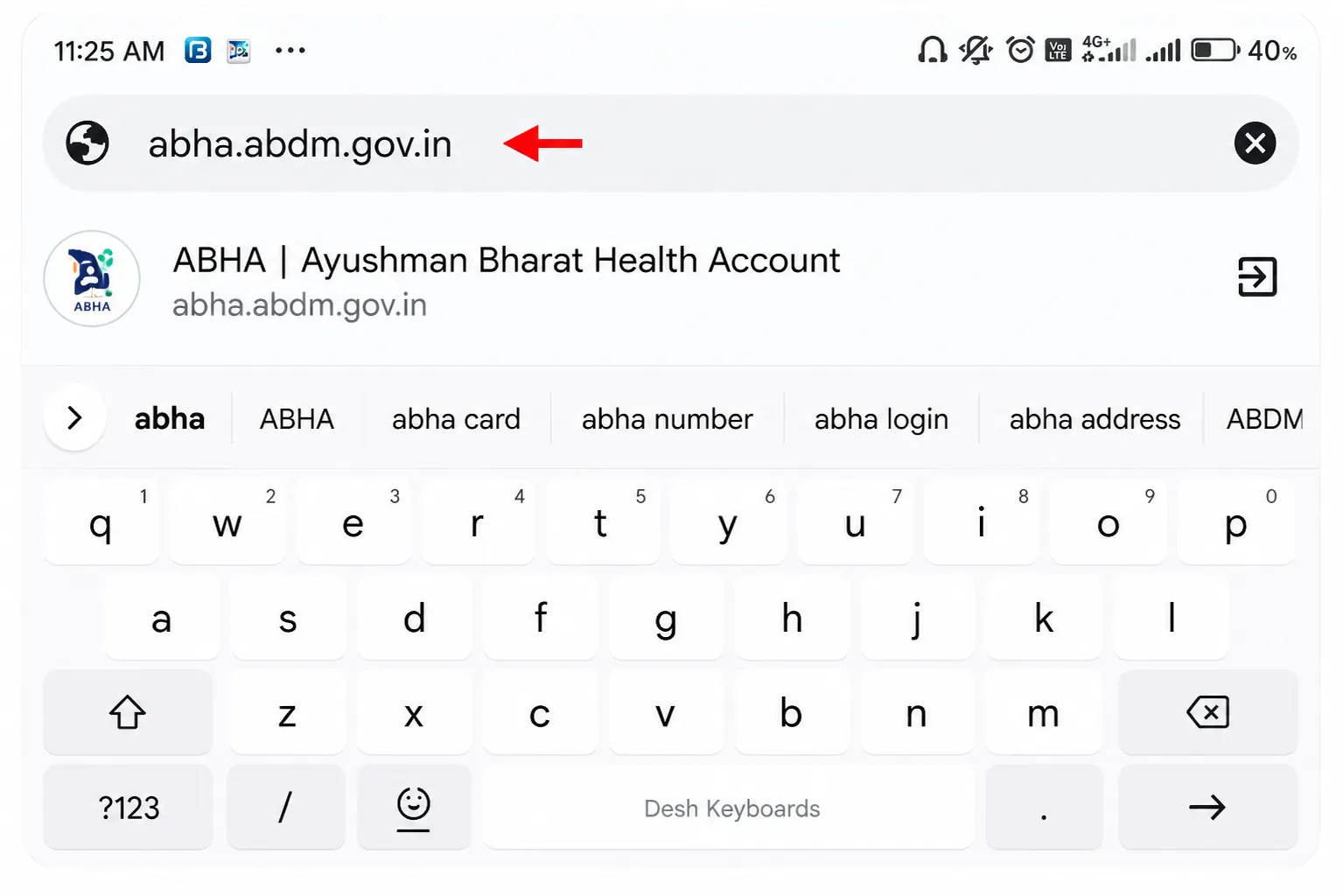
Quick Answer: ABHA card login: open abha.abdm.gov.in, click Login, choose Aadhaar OTP or ABHA Number method, verify, and your dashboard opens. From the dashboard you can check your status, download your card, update KYC, and manage health records.
How to Login to ABHA Card Using All 3 Methods
ABHA card login works through three methods. Choose based on what is available to you:
| Login Method | What You Need | Time | When to Use |
|---|---|---|---|
| Aadhaar OTP | Aadhaar number + linked mobile | 30 sec | Fastest — recommended |
| ABHA Number | 14-digit number + password | 1 min | When Aadhaar mobile unavailable |
| Mobile OTP | Registered mobile + OTP | 1 min | Quick backup method |
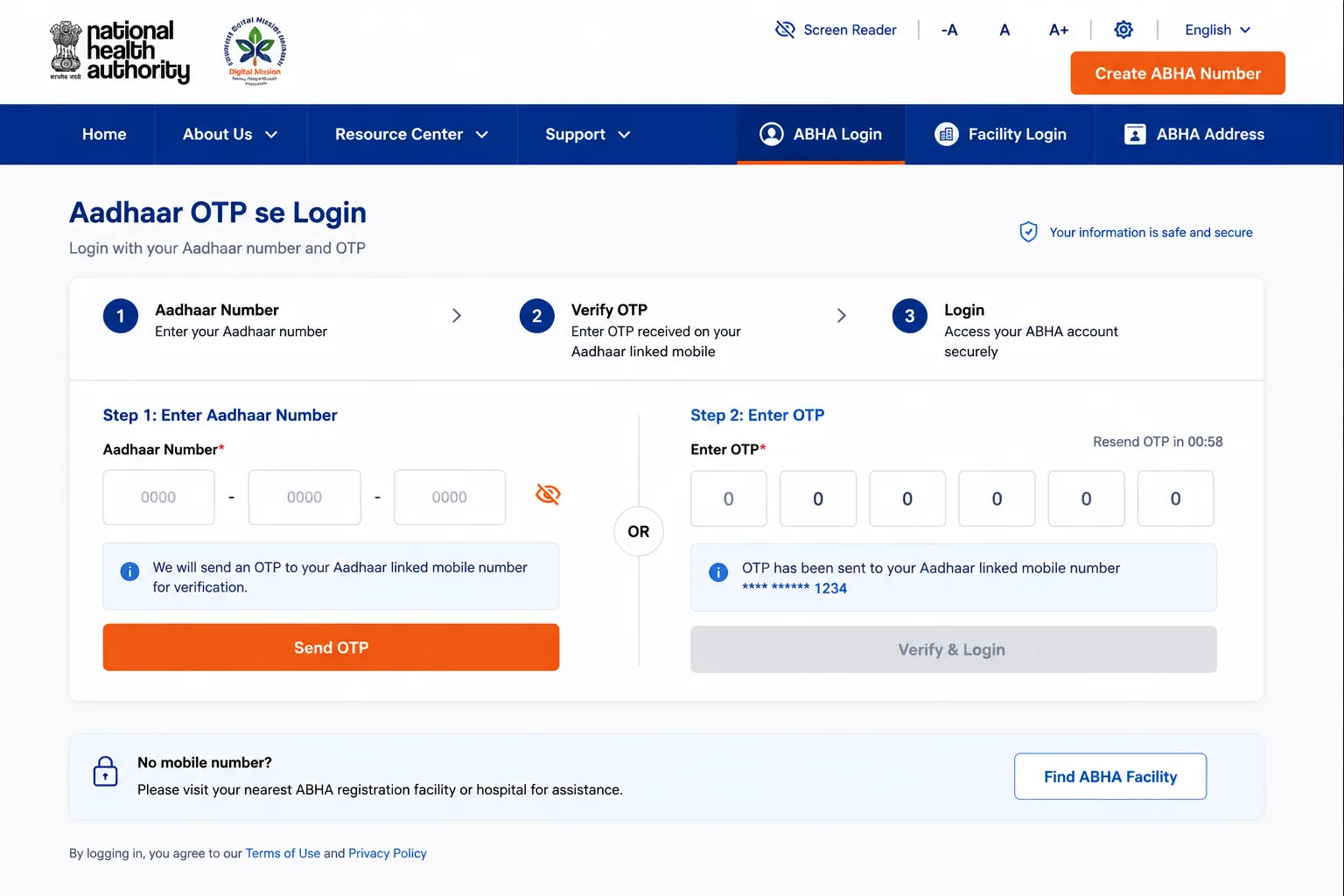
Login with Aadhaar OTP (Recommended)
- Go to abdm.gov.in and click Login.
- Select ‘Login with Aadhaar’.
- Enter your 12-digit Aadhaar number and solve the CAPTCHA.
- OTP arrives on your Aadhaar-linked mobile. Enter it.
- Dashboard opens full account access.
Login with ABHA Number
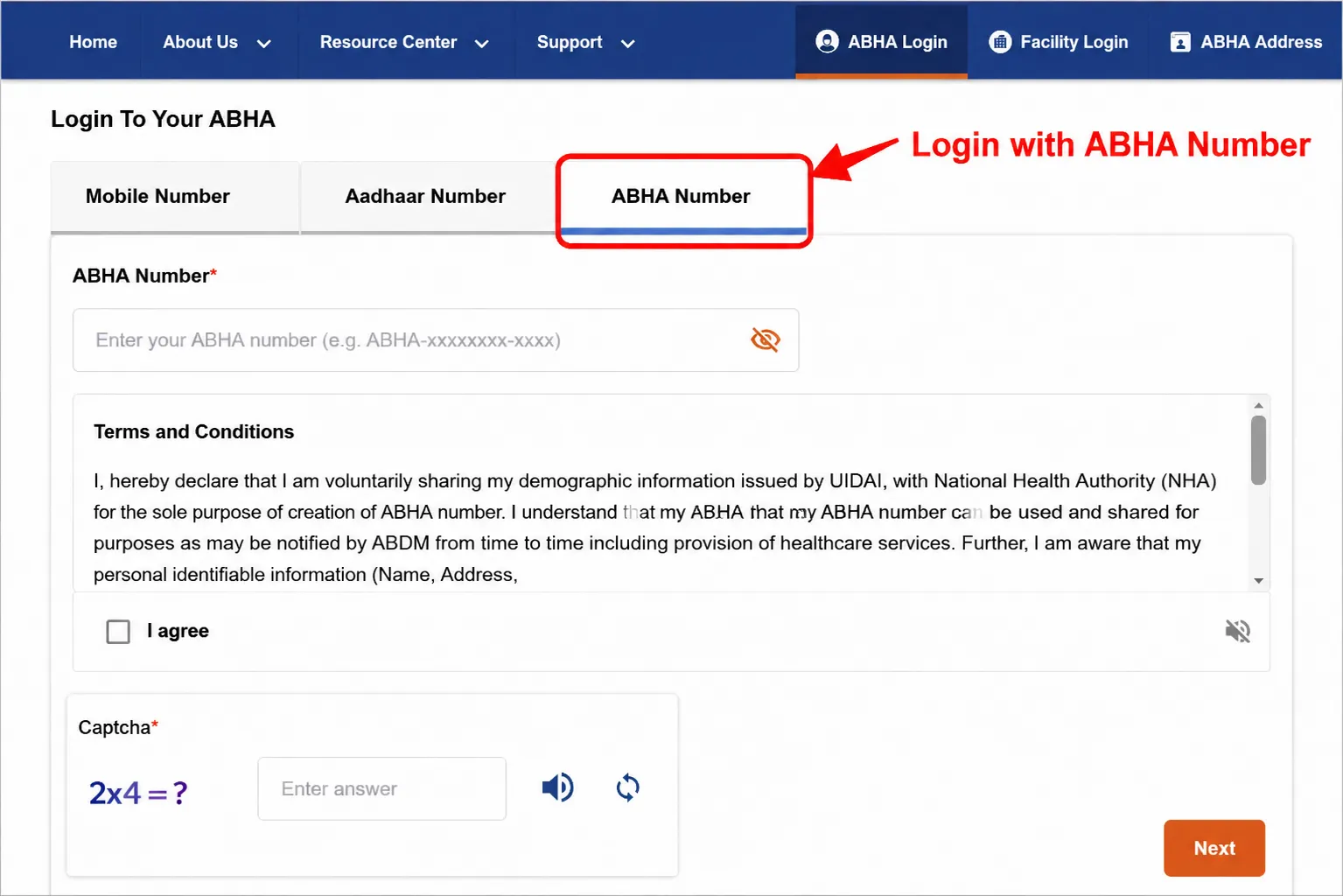
- Click Login on abdm.gov.in.
- Select ‘Login with ABHA Number’.
- Enter your 14-digit ABHA number.
- Enter password or switch to OTP login.
- Dashboard opens.
Forgot ABHA number? Click ‘Forgot ABHA Number’ on the login page. Enter Aadhaar, verify OTP, and your 14-digit number is recovered instantly.
Login with Mobile Number
- abdm.gov.in Login ‘Login with Mobile Number’.
- Enter registered mobile number.
- Verify OTP. Dashboard opens.
App Login: The official ABHA app (by NHA on Google Play and App Store) supports all three login methods. After first login, the QR code stays accessible offline — useful for hospital visits without internet.
ABHA Card Verification Guide Partial vs Full Verified
ABHA card verification status tells you how authenticated your account is. There are two levels:
| Verification Level | How Created | What It Means | Action Needed |
|---|---|---|---|
| Partially Verified | Mobile number or DL method | Basic access — works at some hospitals | Link Aadhaar to upgrade |
| Fully Verified | Aadhaar OTP method | Complete access — works at all ABDM hospitals | None — already complete |
How to Upgrade from Partial to Full Verification
- Login to abha.abdm.gov.in.
- Go to ‘Profile’ or ‘Settings’.
- Click ‘Link Aadhaar’.
- Enter Aadhaar number and verify OTP.
- Account becomes Fully Verified
Fully verified accounts carry more trust with hospitals and insurance systems. If your account shows ‘Partially Verified’, upgrade now it takes under 2 minutes.
How to Check ABHA Card Status Online
Check abha card status in under a minute. Here is how:
- Open abdm.gov.in and login.
- Dashboard opens your abha card status is displayed at the top.
- Look for: Active (card works), KYC Pending (verification needed), or Inactive (action required).
- Abha card number check your 14-digit ABHA number is visible on the dashboard header.
| Status Shown | What It Means | Action |
|---|---|---|
| Active | Card is fully functional — use it at hospitals | None needed |
| KYC Pending | Account created but verification incomplete | Complete KYC — Section 4 below |
| Inactive | Account suspended or deactivated | Contact ABDM helpline: 1800-11-4477 |
| Partially Verified | Mobile-only account, not Aadhaar verified | Link Aadhaar — Section 2 above |
Abha card check online is the fastest way no helpline call needed. Simply login and read your dashboard. How to check abha card active status: if you can log in and the dashboard shows your name and 14-digit number, your card is active.
How to Complete and Update ABHA Card KYC
ABHA card kyc (Know Your Customer) is the Aadhaar-based identity verification that upgrades your account from partial to fully verified. If your dashboard shows ‘KYC Pending’, follow these steps:
ABHA KYC Completion Steps
Complete your ABHA KYC using Aadhaar verification to unlock full account access and change your status from Partial Verified to Fully Verified instantly.
- Login to abha.abdm.gov.in.
- Click the ‘Complete KYC’ notification on your dashboard, or go to Profile, Settings, then ‘KYC’.
- Select ‘Verify with Aadhaar’.
- Enter your 12-digit Aadhaar number.
- OTP is sent to Aadhaar-linked mobile. Enter it.
- KYC complete. Status changes to ‘Fully Verified’ immediately.
Update Your KYC When Personal Details Change
| What to Update | Process | OTP Type |
|---|---|---|
| Mobile number | Profile → Settings → Change Mobile → Aadhaar verify | Aadhaar OTP |
| Email address | Profile → Edit → Update Email | Email OTP |
| Password | Settings → Change Password or Forgot Password | Mobile OTP |
| ABHA address | Settings → Change ABHA Address | Mobile OTP |
| Physical address | Profile → Edit Address | None needed |
Mobile number changed? This is urgent. Update it immediately via Profile, Settings. Without access to your registered mobile, OTP-based login becomes impossible. Aadhaar OTP is the fallback use it to login and then update your new number. |
Common ABHA Card Login Errors and Fixes
Login not working? Here are the most common abha card login errors and the exact fix for each:
| Problem | Cause | Fix |
|---|---|---|
| OTP not received | Wrong Aadhaar-linked mobile or DND active | Turn off DND. Verify which mobile is linked at uidai.gov.in. Use 'Login with Mobile' as fallback. |
| Password forgotten | Did not save it after registration | Click 'Forgot Password' on login page. OTP to registered mobile resets it. |
| ABHA number forgotten | Number not saved after registration | Click 'Forgot ABHA Number'. Enter Aadhaar + OTP to recover. |
| 'Invalid credentials' error | Typo in ABHA number or wrong password | Check number carefully — 14 digits, no spaces. Use Aadhaar login instead. |
| Account locked after tries | 5+ wrong password attempts | Wait 30 minutes. Use Aadhaar OTP login which bypasses password. |
| Page not loading | Browser or internet issue | Clear cache. Use Chrome or Firefox. Try incognito mode or mobile data. |
| OTP expired | Did not enter within 10 minutes | Click 'Resend OTP'. Enter immediately when received. |
Frequently Asked Questions
What Is the Easiest Way to Login to ABHA Card?
ABHA card login easiest method: open abha.abdm.gov.in, click Login, select ‘Login with Aadhaar’, enter Aadhaar number, and enter the OTP. This takes under 60 seconds and bypasses the need to remember a password. Aadhaar login also works even if you forgot your ABHA number.
How to Check ABHA Card Status Online?
ABHA card status check: login to abha.abdm.gov.in. Your dashboard shows status as Active, KYC Pending, or Inactive. Check abha card takes 30 seconds. If status shows Active, your card is working. If KYC Pending, complete the Aadhaar verification from your dashboard.
ABHA Card KYC Pending Status Explained
ABHA card status ‘KYC Pending’ means your account was created using mobile number or Driving License, and Aadhaar verification is not complete. Your card has basic functionality but is not fully recognized at all hospitals. Fix it by logging in and clicking ‘Complete KYC’, then verifying your Aadhaar via OTP.
How to Check If Your ABHA Card Is Active or Not?
How to check abha card active status: login to your account. If your dashboard loads with your name and ABHA number visible, your card is active. The status label on the dashboard confirms it. Abha card check online is the only reliable way — there is no SMS-based status check.
ABHA card KYC is it mandatory?
Abha card kyc is not mandatory to create an account, but it is strongly recommended. Without KYC (Aadhaar verification), your account is partially verified and may not be accepted at all ABDM-integrated hospitals. Completing KYC takes 2 minutes and immediately upgrades your account to fully verified status.
ABHA Card Partial vs Full Verification Explained
ABHA card verification at partial level: created via mobile number works at some facilities. Full verification: Aadhaar-based accepted at all ABDM hospitals including AIIMS and government district hospitals. To upgrade, log in and link your Aadhaar from Profile settings.
Where to Find Your 14 Digit ABHA Card Number?
Abha card number check: your 14-digit ABHA number appears on the dashboard header immediately after login. It is also printed on your downloaded PDF card. If you forgot your number entirely, click ‘Forgot ABHA Number’ on the login page and use Aadhaar OTP to recover it.
How to Fix ABHA Card Login OTP Not Received Issue?
ABHA card login OTP not received:
(1) Check if DND is active on your mobile turn it off.
(2) Confirm your Aadhaar-linked mobile is the same SIM you are waiting for OTP on check at uidai.gov.in.
(3) Wait 2 minutes and click Resend.
(4) If still not received, switch to ‘Login with Mobile Number’ using your current active number.
Can I login to ABHA card without OTP?
The ABHA Number + Password login method does not require OTP. If you set a password during registration, use this method. Go to Login, select ‘Login with ABHA Number’, enter your 14-digit number and password. No OTP needed. If you forgot the password, click ‘Forgot Password’ — that requires OTP, but only once.
Is There an Official App for ABHA Card Login?
Yes. The official ABHA app is available on Google Play Store and Apple App Store search ‘ABHA’ and install the app by NHA. The app supports all three abha card login methods. After first login, your card’s QR code is accessible offline. The app also sends health record notifications and allows one-tap hospital check-in sharing.
Where to Find Health Records After ABHA Login?
After ABHA card login, go to ‘Health Records’ or ‘Locker’ section on the dashboard. Here you will find all saved records from ABDM-integrated hospital visits prescriptions, lab reports, discharge summaries, and vaccination records. You can share specific records with doctors by generating a temporary consent-based access code.
ABHA Card Session Timeout Explained?
ABHA portal sessions typically expire after 15-20 minutes of inactivity for security. The ABHA app stays logged in longer but may ask for verification after a few days. Each hospital check-in generates a separate consent they cannot see your records outside that session. Your privacy is protected by design.
Conclusion
ABHA card login is your daily entry point to India’s digital health system. Whether you are checking your abha card status, completing abha card kyc, or downloading your card the portal abha.abdm.gov.in is where everything happens.
If OTP is a recurring problem, the Aadhaar login method is the most reliable. If you prefer no-OTP access, set a strong password after your first login. Keep your registered mobile number active and updated that is the single most important maintenance step.
Not registered yet? Start here: /abha-card-registration/. Need to download your card after login: Abha card download